Frequently Asked Questions

These FAQs are designed to give you a better understanding of our services. They provide basic information; if you are unable to find the answer to your specific question please feel free to contact us.

Free Trial Information:

We DO NOT require a credit card or any payment information before activating the free trial.

We DO NOT require any contract or commitment to try out our software.

We DO NOT sell, license or share any of your contact information to anyone, EVER.

We DO NOT have a sales person call you during your free trial to try and “sell” you the product.

We proudly offer a NO OBLIGATION, risk free 21 day trial so you can take us for a FULL, rigorous test drive. See for yourself why so many shops would not consider doing business without us!

During your free trial you’ll be able to use every feature available in our services, allowing you and your team to take it for a full test drive. When the trial runs out, simply enter your payment information to start your subscription for our online service. It’s that easy!

The free 21 day trial begins once your account is approved and you login for the first time. Each time you login after that you will see how many days remain on the trial.

Our philosophy is simple, and has served us well over the last several decades – our labor times, software and customer service sell themselves.

How do I install your service?

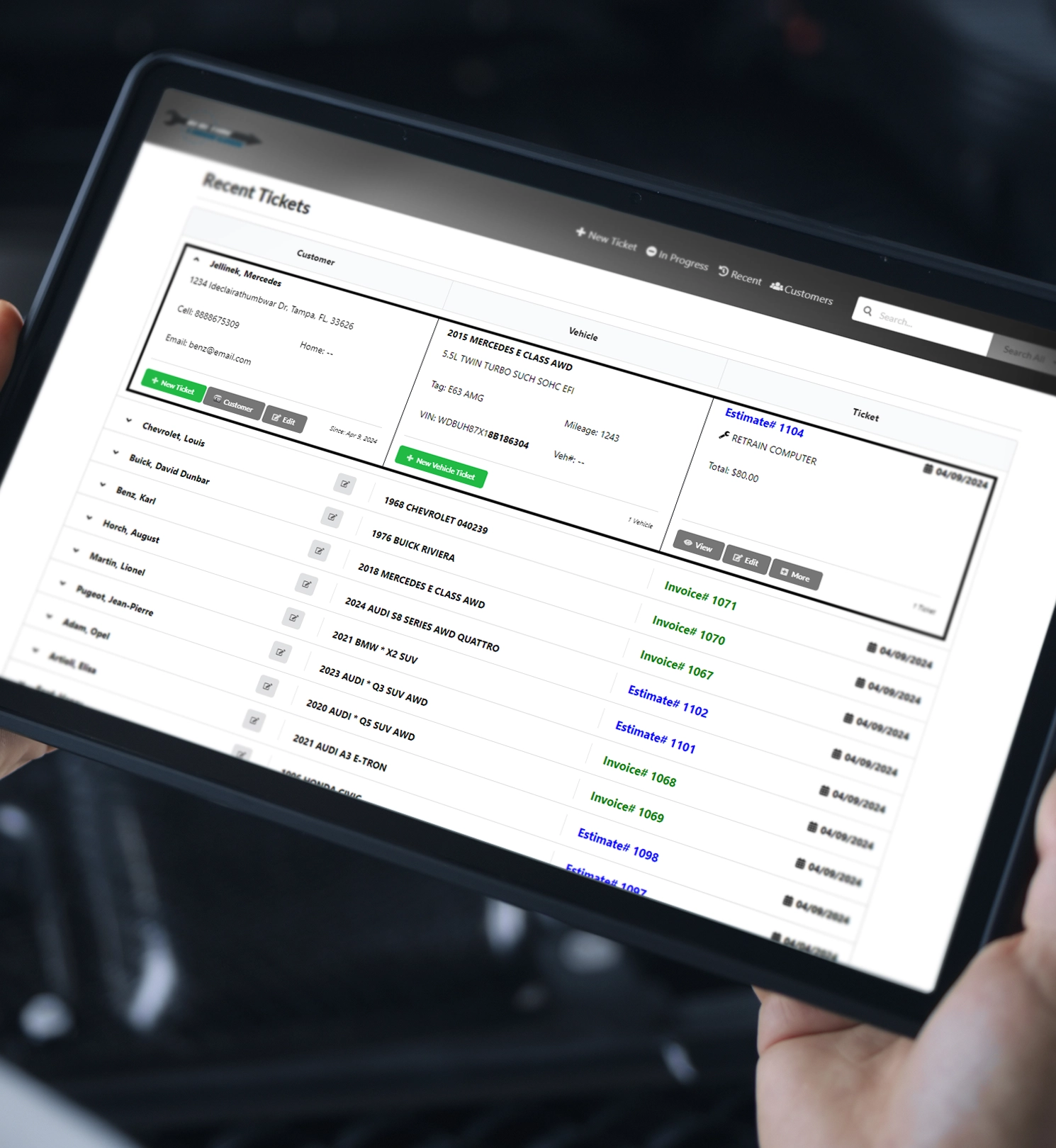
Unlike previous versions of our software, the new online services do not need to be installed on your local PC. We take advantage of the security, accessibility, and power of the “cloud”, and will run on your Internet browser.

How do I set up my account?

Once you click “Start free trial” or Sign Up”, you will be asked to provide your name and email address. We will send a confirmation email to that email address, and once confirmed you will be able to create your account.

The user name and password that you create as part of the sign up process will be the administrator. Once activated, this user can manage settings, billing information, create additional users for the account, etc.

We recommend that the first settings you should customize are tax rates, labor rates, disclaimers, and company information. You can also upload your color logo for use on all estimates and invoices.

How much do additional users cost and how do I add new users?

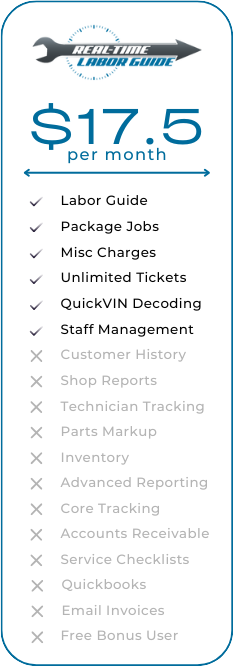
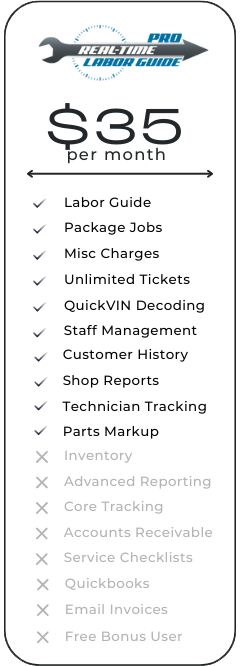
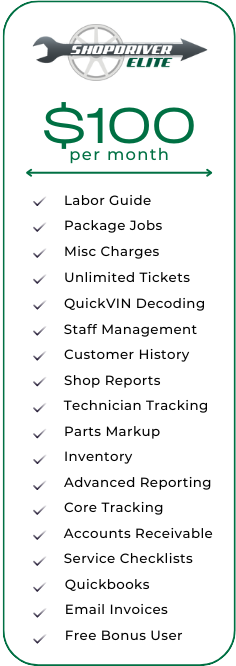
If you would like more than one person to utilize our online services, you may add users to your account at anytime for only $17.50 per month per additional user. Users can access their account from any computer with an internet connection. However, a user may only be logged in to one device at a time.

You can easily add users to your account by clicking on your user name on the right side of the navigation bar, then selecting “Staff Management”. Once you click “Create new staff user”, you can fill in the new user’s information and assign them a user name and password. Once active they will have access to build tickets using your account.

***If you already have an active subscription, you may be directed to the Billing Management to purchase additional users.

The account owner can select three different levels of access for the additional user accounts, and what the additional users save will also be saved to the overall account. (For Real-Time Pro and ShopDriver Elite, this includes customer history and saved tickets.)

Have more questions?

Where do your labor times come from?

We began building our proprietary labor time database in 1989, recording actual shop labor times from professionals in the field. After the initial 4 years of collecting, analyzing and compiling the data, we released our first labor guide product. Our research continues today with an internal team of researchers partnered with automobile repair professionals in the field, and we welcome and encourage our customers to call with labor time suggestions or fill out our corrections form. This multi-pronged approach allows us to give you the most accurate labor times possible.

What makes this labor guide better than others?

Our research shows that each job has a number of factors that affects the repair time including the age and condition of the vehicle, technician skill, availability of specialty tools, etc. Our labor guide takes these factors into account by giving a High, Average, and Low time for each job. You have the ability to decide which time is right for your shop, your technician, and the vehicle in the bay.

Our times are not the result of manufacturer experts working on brand new cars in a clean room environment using the latest equipment and the most expensive and single use specialty tools available.

What kind of vehicles and repairs are included in your program?

The latest version of our service provides labor times on thousands of jobs for domestic and imported cars, light, medium and heavy duty trucks ranging from 1968 to today.

I only want the times for (Imported cars / Heavy Duty Trucks, etc).

Our programs allow you to easily and quickly create a Custom Manufacturer List. This gives you the ability to view only the makes that matter to you.

How often are the services updated?

Our online services are updated as often as possible. Currently, at a minimum we update on a quarterly basis. One major benefit of the online guides is we can update in the background as often as needed (monthly, weekly, daily even) without the hassle of sending out a CD or having you download a new file. You will always have the most up to date information with the newest features available without having to do a thing.

Can I make tax-exempt tickets?

Yes. To make a ticket tax-exempt, make sure that the tax-exempt box on the ticket screen is selected.

Do you have collision times?

At this time, we do not offer collision or body shop times.

Do you offer a money back guarantee?

No. Our free trials allow you to test drive the complete services with no limitations or restrictions. Since we allow and expect that our customers have had full use of our services for that time period, we do not offer refunds. If you are using an online service, you may cancel your subscription at any time and your account will remain active for the rest of the paid subscription period.

Don't see the answer you're looking for?

Where do I find parts?

On the summary screen, find the button that says “+ Part”. In the new box enter your part information including part number, quantity and cost. Once you finish, click the “Add” button to add the part to the ticket as an additional line. Real-Time Pro and ShopDriver Elite “remembers” the part that you enter, so that the next time you sell that part simply enter the part number and the rest of the information will be automatically filled in. We supply a default list of parts numbers and abbreviations in the help files.

At this time we do not connect to any parts suppliers for online quoting or ordering. Look for this feature in the near future.

What are the system requirements for your products?

Since our service runs on the Internet, it will work on computers with many different Operating Systems including Windows (XP, Vista, Win 7, Win 8, Win 8.1, Win 10…), Mac OS, and several Linux based systems including Ubuntu, Debian, Fedora, etc. as long as you have one of the following browsers installed

Google Chrome

Mozilla Firefox

Safari

Opera

Microsoft Edge

High-speed Internet connection and minimum hardware requirements for your chosen Operating System are recommended to run our web-based services.

Help! I'm having password issues!

On the login screen, you will see a link the says “Forgot your password?”. Click on the link once and follow the directions we emailed to reset your password.

What should I do if I forgot my username?

You have the ability to log in with either your user name and password or your email address and password. If you can’t remember your user name, simply login with your email address. Then visit the Staff Management section to update your user information. Please contact the Customer Service team for further assistance.

What happens if I receive an error while using the services?

Every effort has been made to ensure an error-free program but unfortunately, errors do occur.

As a first step, make sure you are not getting the error on any other websites you use (cnn.com, espn.com, etc.). If you get the same error on other websites then you may have a service outage in your area. Contact your Internet Service Provider.

Second, close all browser windows and then try again. This may reset or correct the issue.

If you still receive the error, reboot your computer or device.

If following the steps above does not resolve the issue, please leave the error on your screen and contact the Customer Service team for assistance.

Do you still offer the Real-Time Labor Guide Desktop CD or Automotive Expert Desktop CD?

If you are a current Real-Time Labor Guide Desktop CD customer, 2026 will be the last year you can get a update on CD. Automotive Expert Desktop CD will still be updated annually until further notice. If you have Automotive Expert Desktop CD, you will get a reminder when it's time to update.

What if I have a special situation requiring additional support?

If you need additional support, please feel free to contact the Customer Service team at (800)487-0279 for assistance.

The links below may be used by the Customer Service team to update certain areas of our software.

*** IT IS VERY IMPORTANT NOT TO CLICK ON OR DOWNLOAD ANY LINKS BELOW UNLESS DIRECTED BY A MEMBER OF OUR SUPPORT TEAM. Each update is designed for a specific version of our software in specific situations. ***

Auto Labor Experts